JS Accessibility Fixer
Find the accessibility problems in your articles, modules, menus and pages. AI suggests each fix, and you approve it before anything changes.
Joomla 5.4 and 6
English and German
0 downloads
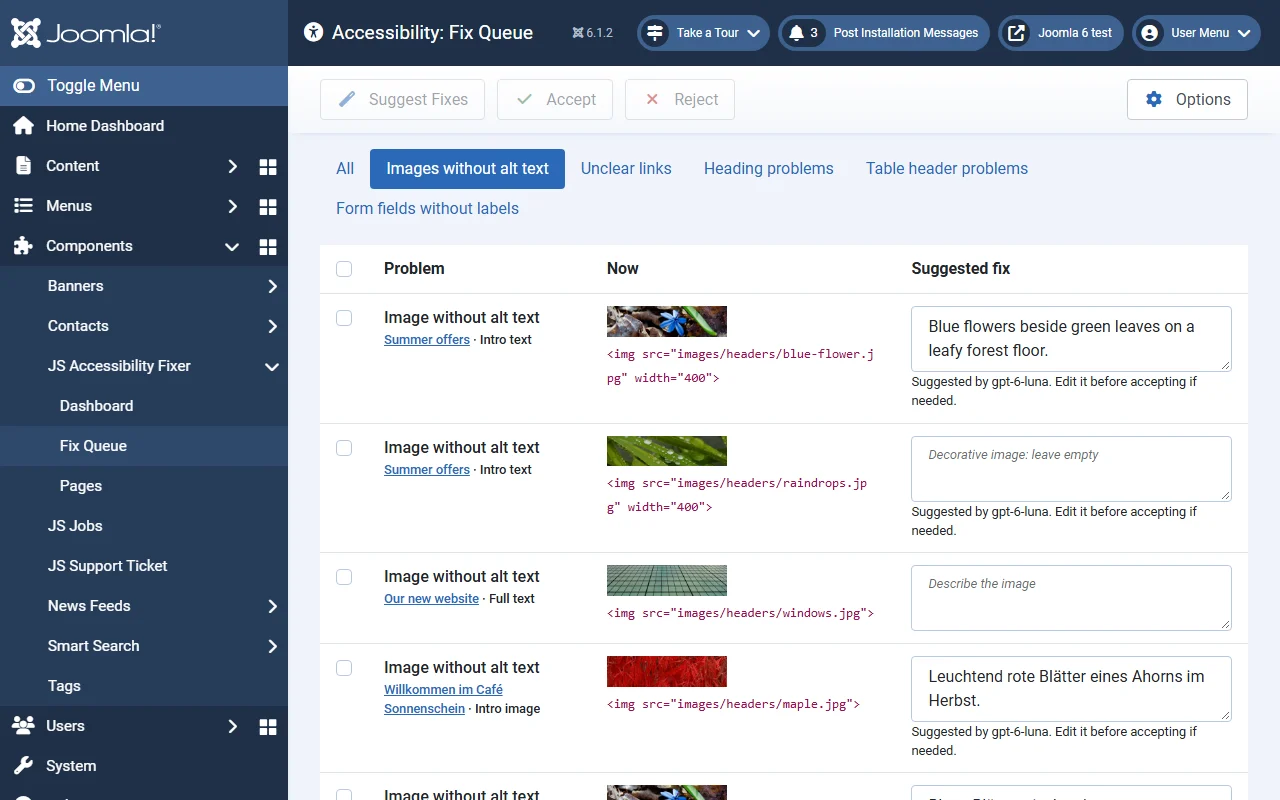
Scan. Review the suggestion. Accept.
Fixes go into your stored content, the articles, modules and menu items themselves. Nothing is added on top of your pages, and nothing changes until you accept it.
1. Scan
- Your content
- Published articles (text and their intro and full-article images), Custom HTML modules and menu item titles.
- Your pages
- The home page and every menu item, checked as a visitor sees them with Sa11y, the checker built into Joomla. This finds template problems such as low colour contrast.
2. AI suggests
- Alt text for images
- A short description of what the image shows, in the article’s language. Decorative images are marked as such.
- Clear link text
- “Click here” and “weiterlesen” become text that says where the link goes. Unclear menu titles too.
3. You approve
- Edit, accept or reject
- Accepting changes only that one image or link, and keeps a version of the article so you can undo it.
- Safe by design
- If the article changed after the scan, nothing is written. Problems AI can’t fix yet link straight to the editor.
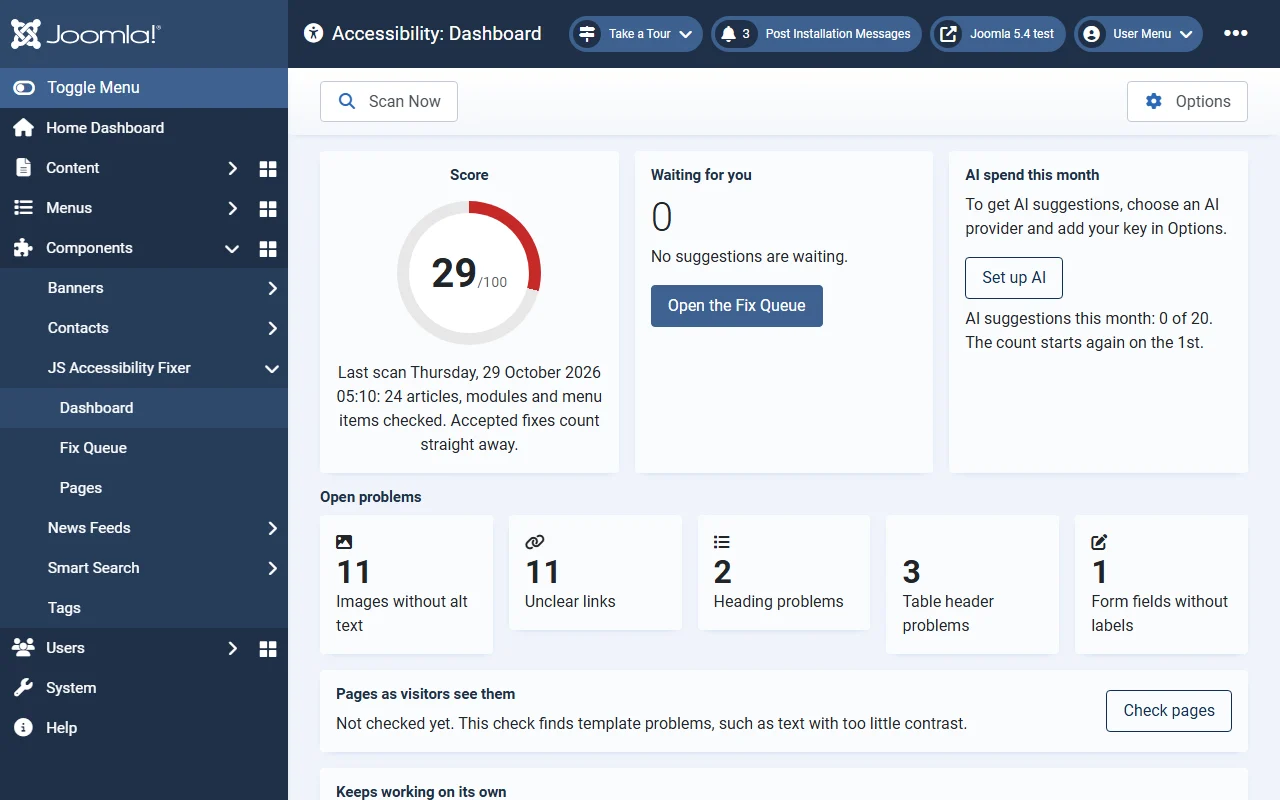
The problems that matter most in content.
A score out of 100 rises as you accept fixes, with a trend of recent scans and counts by problem type.
- Images without alt text
- Empty links
- Unclear link text, in English and German
- Skipped or empty headings
- Tables without header cells
- Form fields without labels
- Low contrast in the template
- Pages without a main heading
Problems are caught when content is saved.
When an editor saves an article or a Custom module, they see its problems straight away, with a link to fix them. A “Suggest alt text with AI” button sits beside the article’s image fields.
Claude, Gemini or OpenAI. You choose.
Add your own API key in Options and pay the provider directly, with a monthly spend cap. Scanning works without any AI and without an account. An image or text is sent to the AI only when you ask for a suggestion. Google Gemini has a free tier.
- 20 AI suggestions a month
- Fixes you write yourself: unlimited
- Monthly spend cap
Which Joomla versions does it run on?
Joomla 5.4 and later, and Joomla 6, on PHP 8.1 or later.
Does it make my site compliant with the European Accessibility Act?
No tool can promise that. JS Accessibility Fixer finds and fixes common accessibility problems in your content and shows your progress as a score. Automated checks find only part of what a full audit covers, so it does not certify a site against any law or standard.
Does it add an accessibility widget to my site?
No. Widgets change the page in the visitor’s browser and leave the real content as it was. JS Accessibility Fixer fixes the content where it is stored, so every visitor and every screen reader gets the fixed version.
Do I need an AI account?
Only for AI suggestions. Scanning, the score, the page check and fixes you write yourself work without one. For suggestions, add a key from Anthropic Claude, Google Gemini or OpenAI in Options.
What does the AI cost?
You pay your AI provider directly, and very little: in our tests, eleven suggestions cost well under one cent. A monthly spend cap in Options stops it at the amount you set.
What is sent to the AI?
Only the image or link text you ask a suggestion for, and only when you ask. Nothing is sent during a scan.
Can I undo a fix?
Yes. Every accepted fix to an article saves a version, so you can restore the earlier one from the article’s Versions button.
See your site’s score in five minutes.
Install the free package in System › Install › Extensions, then open Components › JS Accessibility Fixer and click Scan Now.