Find it. Fix it. Show it.
Finds accessibility problems where your content is stored, writes the fixes for you to approve, and keeps the record. Every feature on this page is in JS Accessibility Fixer Pro.
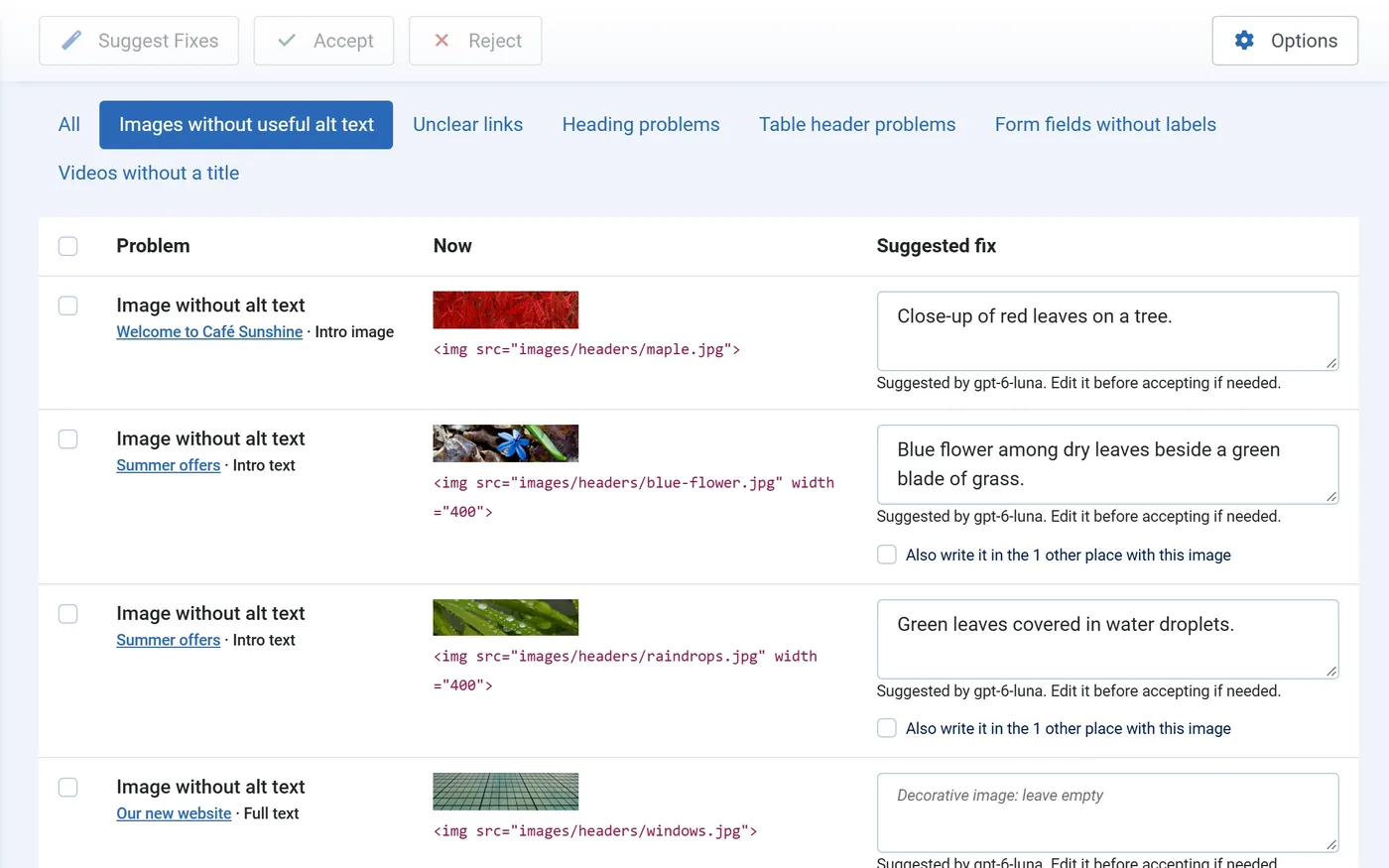
Every problem, where it is stored.
A fix belongs in the article, module or category itself. So the scan reads your stored content, and the page check covers what only a page shows.
Content scan
Published articles with their intro and full-article images, Custom modules, menu item titles and categories.
Page check
The pages as visitors see them, with Sa11y, the checker built into Joomla. It finds template problems such as low contrast.
Check on save
Editors see the problems of an article, module or category as soon as they save it, with a link to fix them.
HikaShop, VirtueMart and JS Jobs
Product descriptions and job listings are checked too. They are optional: nothing needs them installed.
You approve every change.
AI suggests, you check each suggestion, and only then is anything written.
- AI alt text and link textA description of each image, and link text that says where the link goes.
- Video titlesFrom YouTube and Vimeo, without AI.
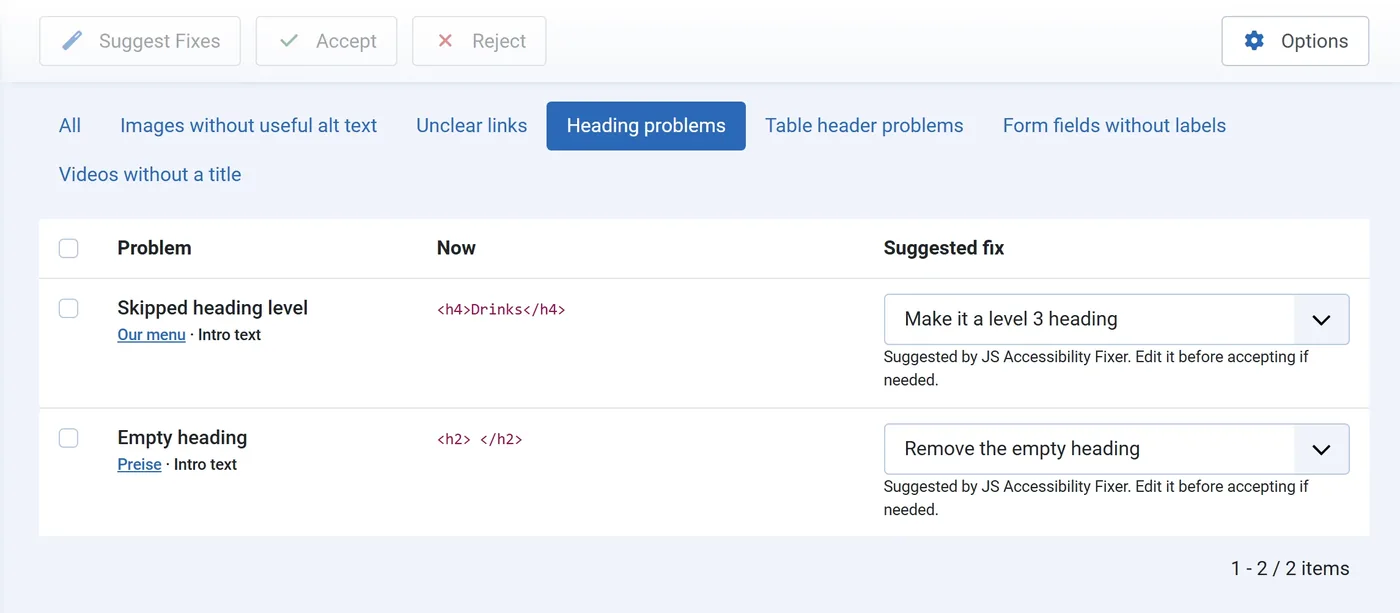
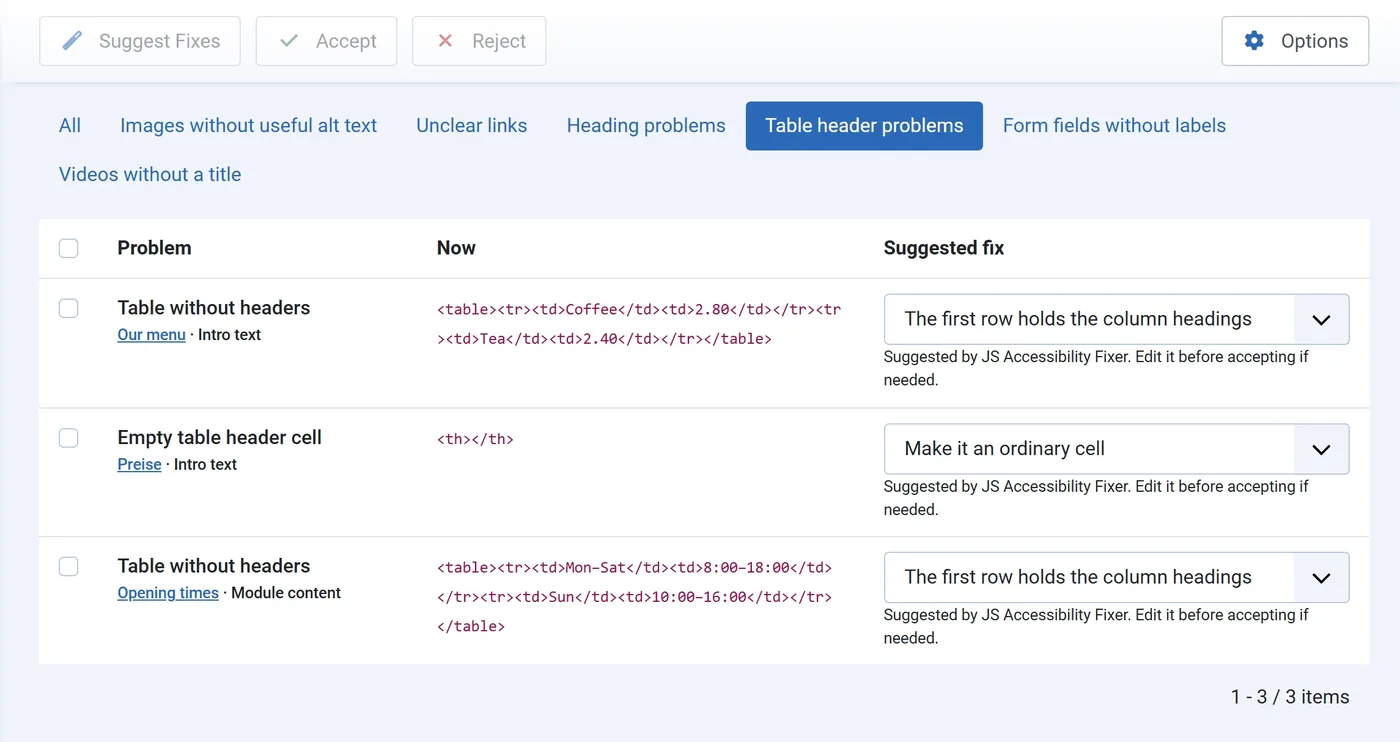
- Headings, tables and form labelsA suggested fix for each, which you can change from a list. Labels come from placeholders or AI.
- One image, one fixThe same alt text in every place an image is used, translated for your other languages.
- Suggest for allSuggestions for every open problem at once, with a progress bar.
- Only the one tag changesNothing is written if the content changed after the scan.
- History with undoEvery fix with the text before and after.
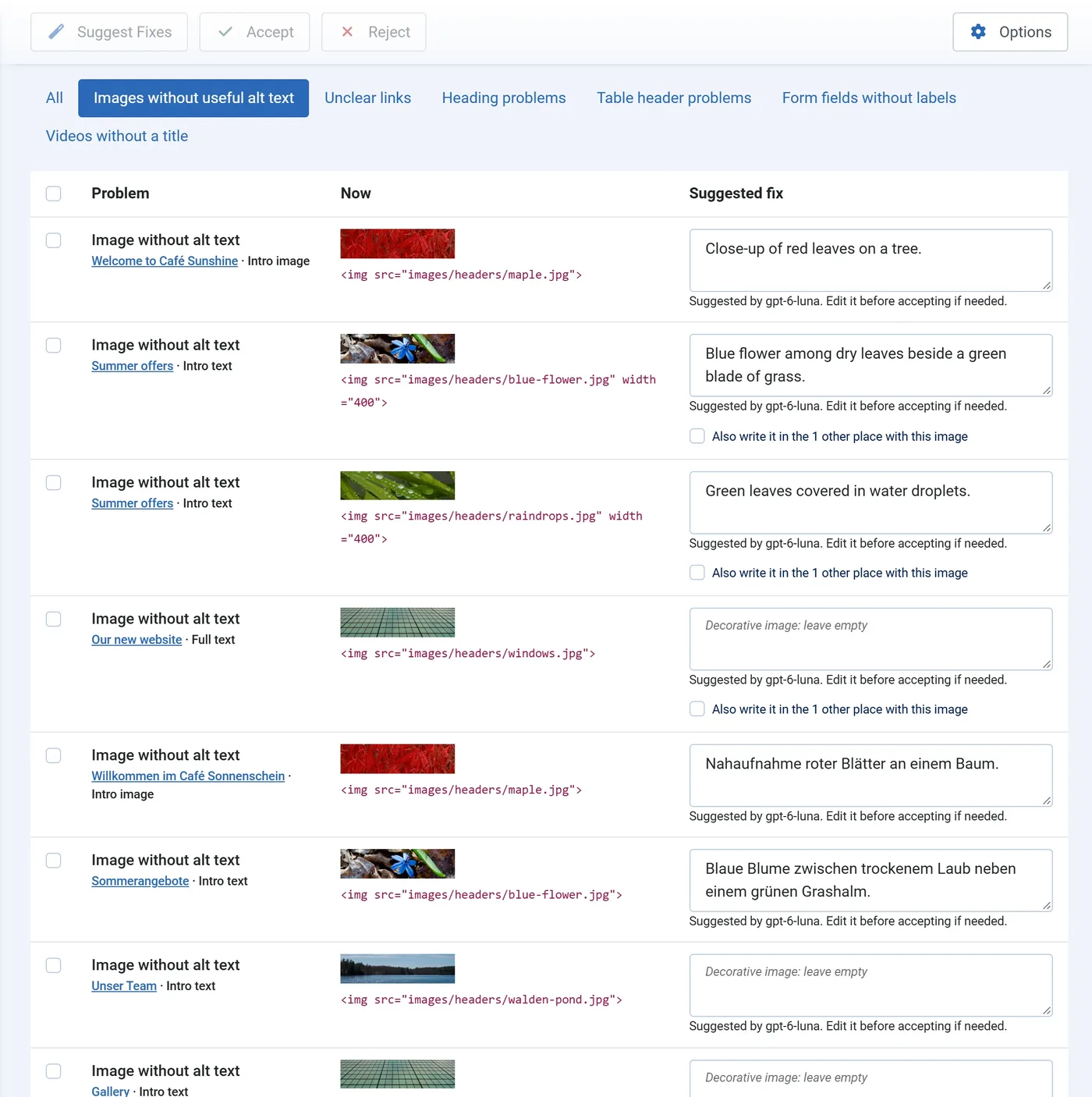
The fixes AI alone can’t make.
A skipped heading level or a table without header cells needs a choice about the content. JS Accessibility Fixer suggests one, and you can pick another from the list before you accept.
It keeps working when you don’t.
New content brings new problems. Pro finds them and has the fixes waiting.
- Suggestions every nightFixes are suggested on their own and wait for you in the Fix Queue.
- Monthly scanWith an email saying how many fixes are ready.

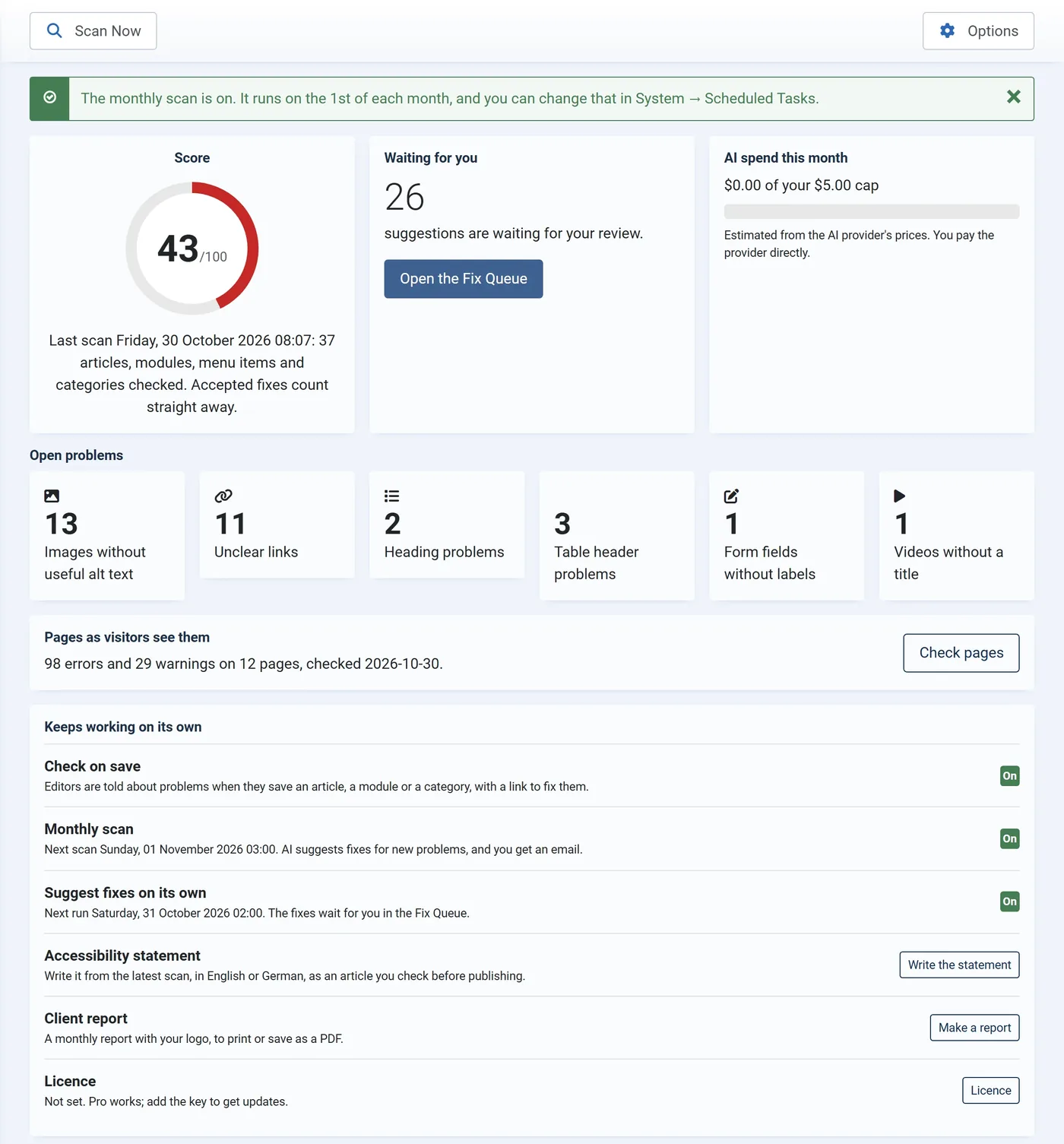
Show what you did.
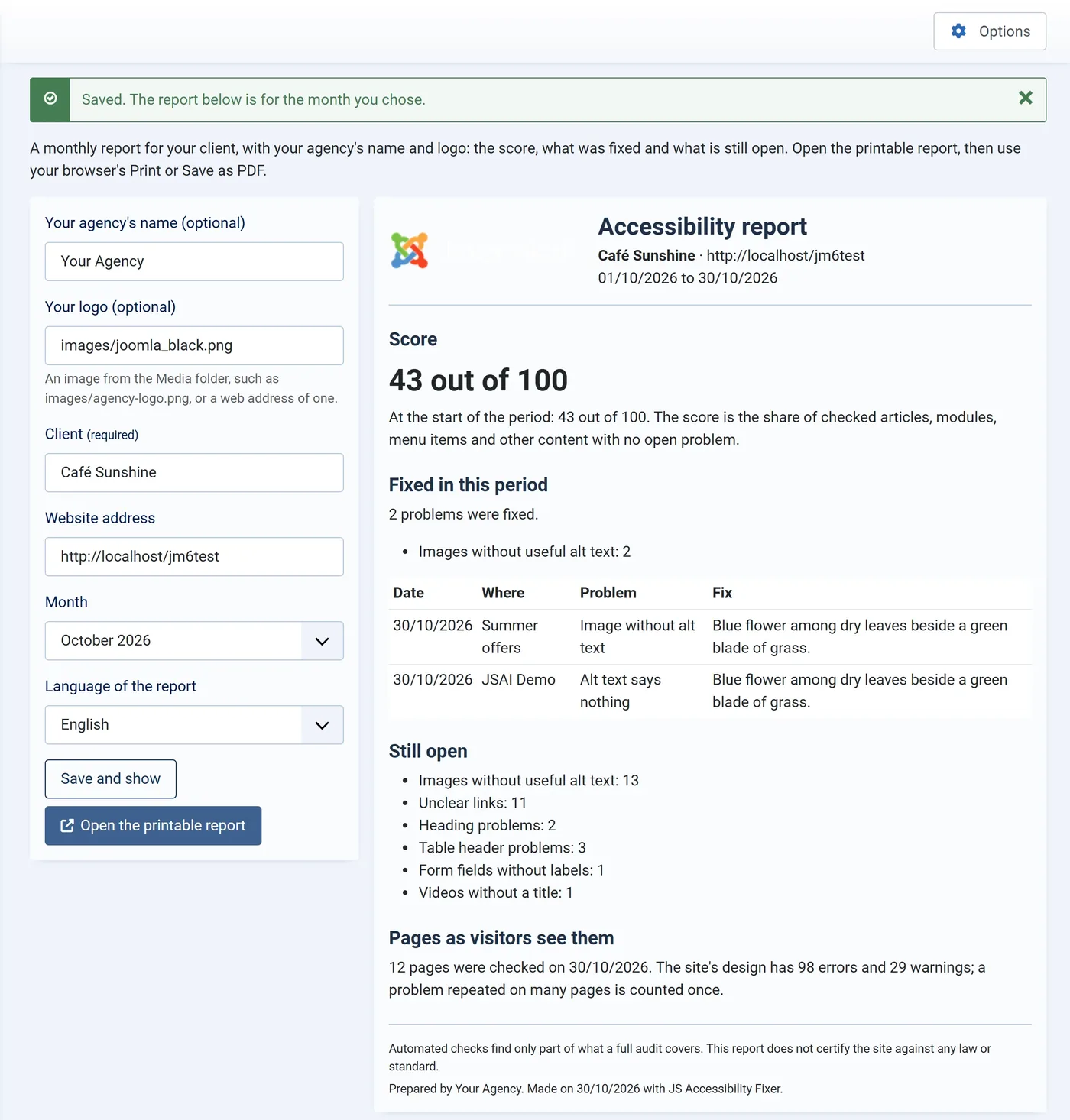
A score for you, a statement for your visitors, and a report for your clients.
Score and trend
A score out of 100 that rises as you accept fixes, with the trend of recent scans.
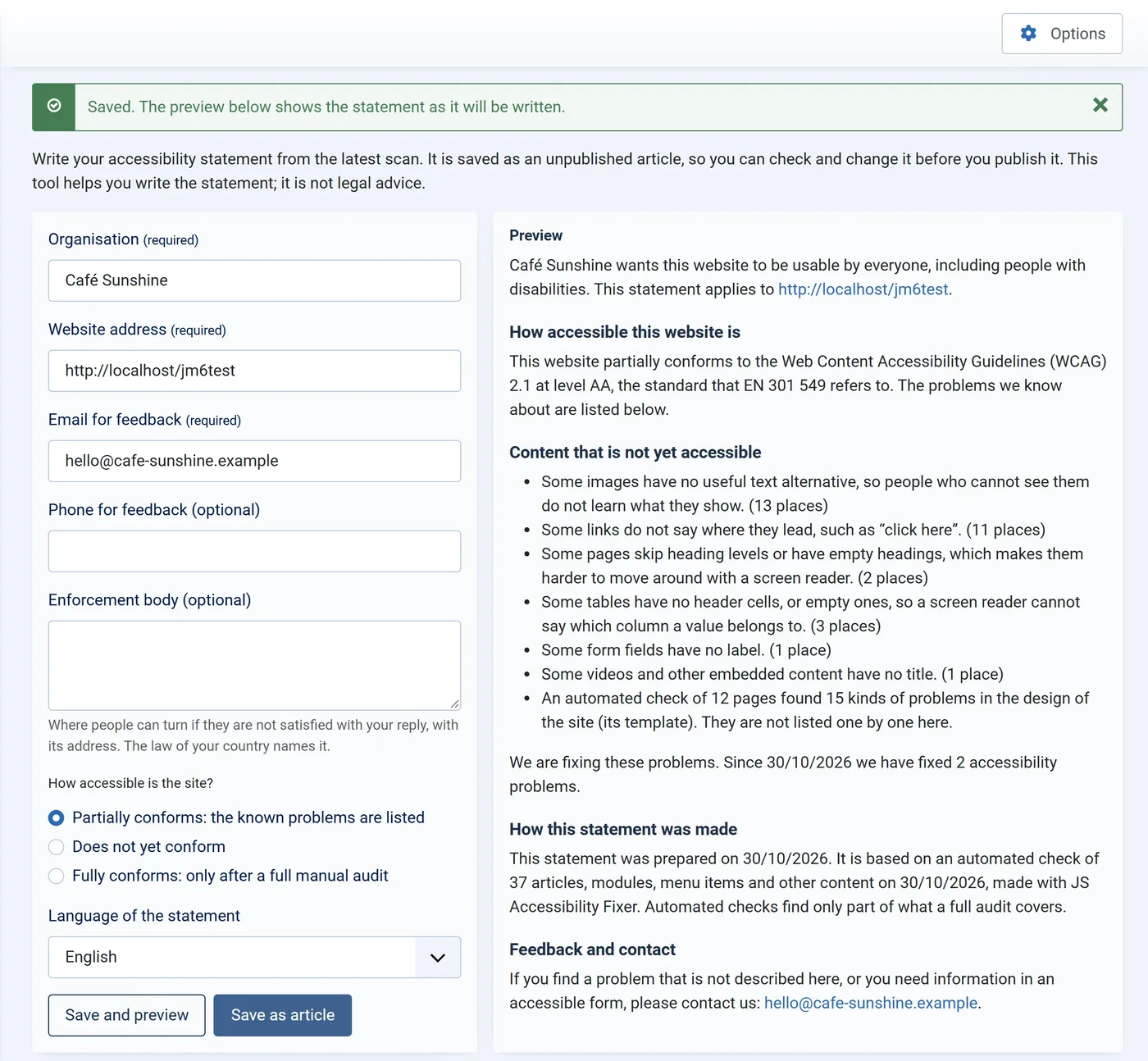
Accessibility statement
Written from the latest scan, in English or German, and saved as an article you check before publishing.
Your key, your cap.
You choose the provider and pay it directly. Scanning works without any AI.
- Claude, Gemini or OpenAI
- Your own API key
- Monthly spend cap
- Scanning works without AI
- Sent to the AI only when you ask for a suggestion
- Only the image or text in question
Start free. Go Pro when your sites grow.
The free version finds the problems and fixes alt text, links and videos. Pro adds everything on this page, on the same site.