Upgrade JS Accessibility Fixer to Pro
Install the Pro zip over the free version, then enter your licence key for updates and support. Everything you have is kept.
- The free version is not needed: Pro installs over it or on its own. If you have it, everything it holds is kept.
- Your Pro licence key, from your order page or the order email. Where to find it.
- A fresh backup of your site.
Buy a plan
Choose a plan on the JS Accessibility Fixer page. As soon as the payment goes through, your order page shows the licence key.
Download Pro
Open the order in My account › Orders and press Download Pro next to your key.
Install it over the free version
Go to System›Install›Extensions and upload the Pro zip. It installs over the free version. Scans, fixes, history and settings stay, and the free update entry is removed.
Enter your licence key
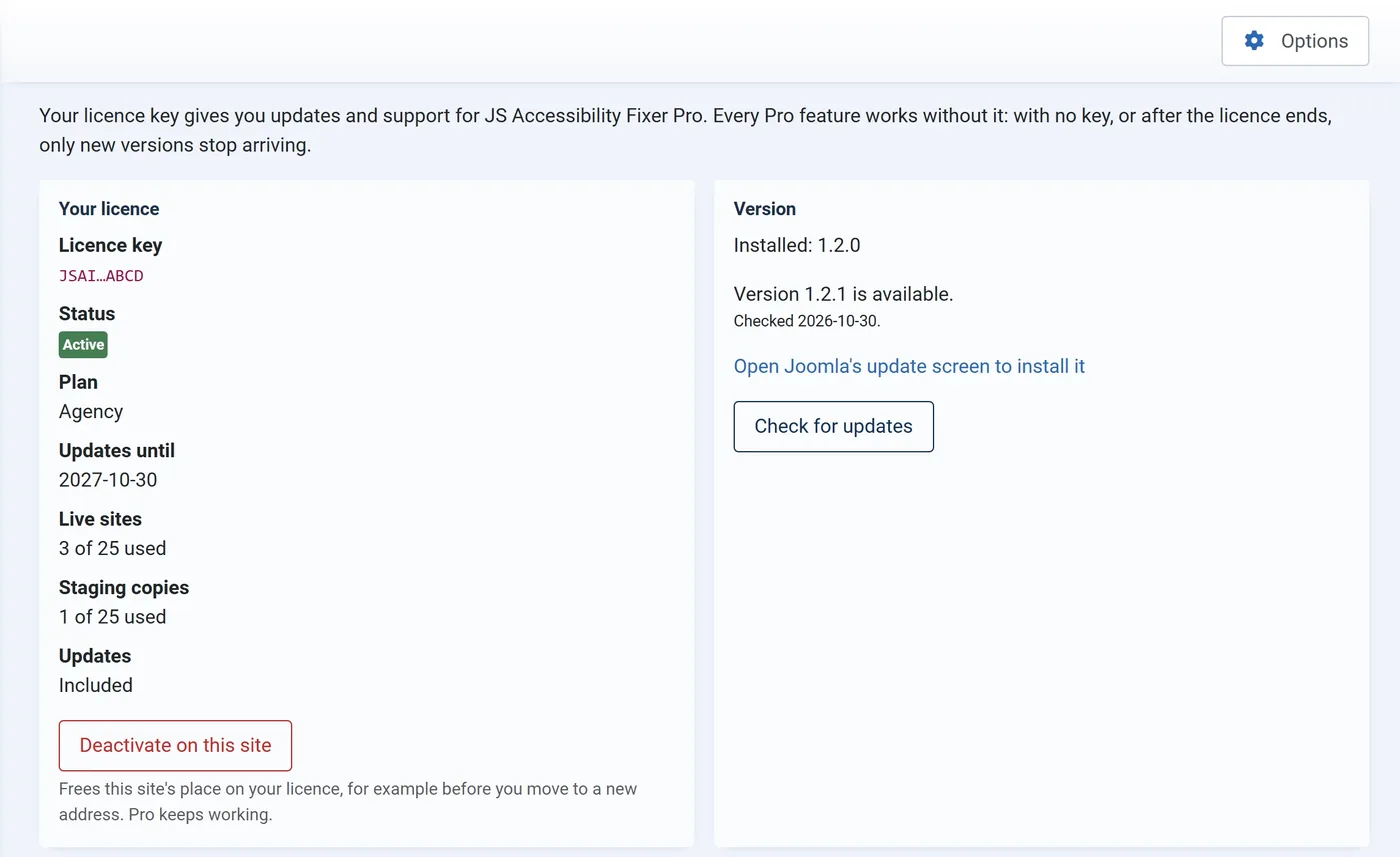
Open Components›JS Accessibility Fixer›Licence, paste your key, choose The live site (or A staging or test copy) and press Activate. Pro works without the key; the key brings updates and support.

The Licence screen, with an example licence. You are on Pro
The menu now has Statement, Client report and Licence, and the dashboard can turn on Suggest fixes on its own and the monthly scan.
If something goes wrong
- “This licence key is not known”. Copy the key again, with no spaces before or after it.
- “Already used on all the live sites it allows”. Deactivate it on the old site (its Licence screen), or choose a bigger plan.
- “joomsky.com could not be reached”. The server needs outgoing HTTPS; your host can turn it on.
- Installing the free version over Pro is refused. That is on purpose. Update Pro instead.